Cursor review: I built an entire website with it, here's what happened
 By Andy Webb
I didn't plan to write this review. I planned to build a website. But after three months of using Cursor as my primary development environment, building this very publication from an empty folder to a live site with 82 passing tests and real articles being read by real people, I realised I had something most Cursor reviewers don't: a genuine, messy, occasionally infuriating production experience to write about.
Most Cursor reviews test it on toy projects. They scaffold a to-do app, generate some boilerplate, write a glowing summary, collect their affiliate commission, and call it a day. I can't do that. I've spent three months in the trenches with this tool. I know where it shines because I've felt it save me hours. And I know where it stumbles because I've sat there at midnight, on my third coffee, staring at the same "use client" error for the third time, wondering why the AI that just scaffolded a perfect comparison table from a single prompt can't remember that Next.js event handlers need a client component directive.
Every relationship has its frustrations. This is that review.
Cursor is the best AI code editor available in 2026 for developers working on real projects. Its codebase context awareness is unmatched and the Claude integration is genuinely transformative. The pricing change stings, but the productivity gains more than justify the cost.
What I actually built with it
The Bot Market, the site you're reading right now, is a Next.js 16 site with Tailwind CSS, MDX content, TypeScript, 11 custom components each with their own test suite, a content pipeline that renders articles with embedded React components, structured data for SEO, Google Analytics, a newsletter flow connected to Buttondown, and automated deployment through Vercel. The sort of project that just a couple of years ago would require at least a small dev team and several weeks of focused work.
I built all of it in Cursor with Claude as the AI model. Every component, every page, every test. The project has 82 passing tests across 15 test suites and the production build compiles cleanly. Not too shabby for a product leader who hasn't written production code in a decade.
I mention the specifics because they matter. This isn't a review based on generating a React counter and marvelling at how clever the autocomplete is. This is what happens when you lean on an AI code editor, properly lean on it, for weeks of real development on a project you actually care about.
The things that genuinely impressed me
Codebase context is the killer feature, and it's not a close run thing. When I asked Cursor to create a new component, it didn't give me something generic pulled from a training set. It actually looked at my existing components, understood the design system I'd built (CSS custom properties, font variables, colour tokens, the lot), and produced code that matched the patterns already in the project. When I said "create an ArticleCard component with four variants," it examined the SiteHeader and SiteFooter to understand how the project was structured before writing a single line.
Let's dwell on that for a moment. It studied my code before writing new code. Like an actual developer would. Well, like a good developer would. We've all worked with the other kind.
This is the thing that separates Cursor from GitHub Copilot and every other autocomplete tool out there. Copilot knows JavaScript. Cursor knows your JavaScript. Your naming conventions, your file structure, your design tokens. The @codebase feature, where you can ask "where is the newsletter signup handler?" or "which components use the accent colour?", is faster than grep and understands semantic relationships. I used it dozens of times and it was right every time. Mildly unsettling, actually.
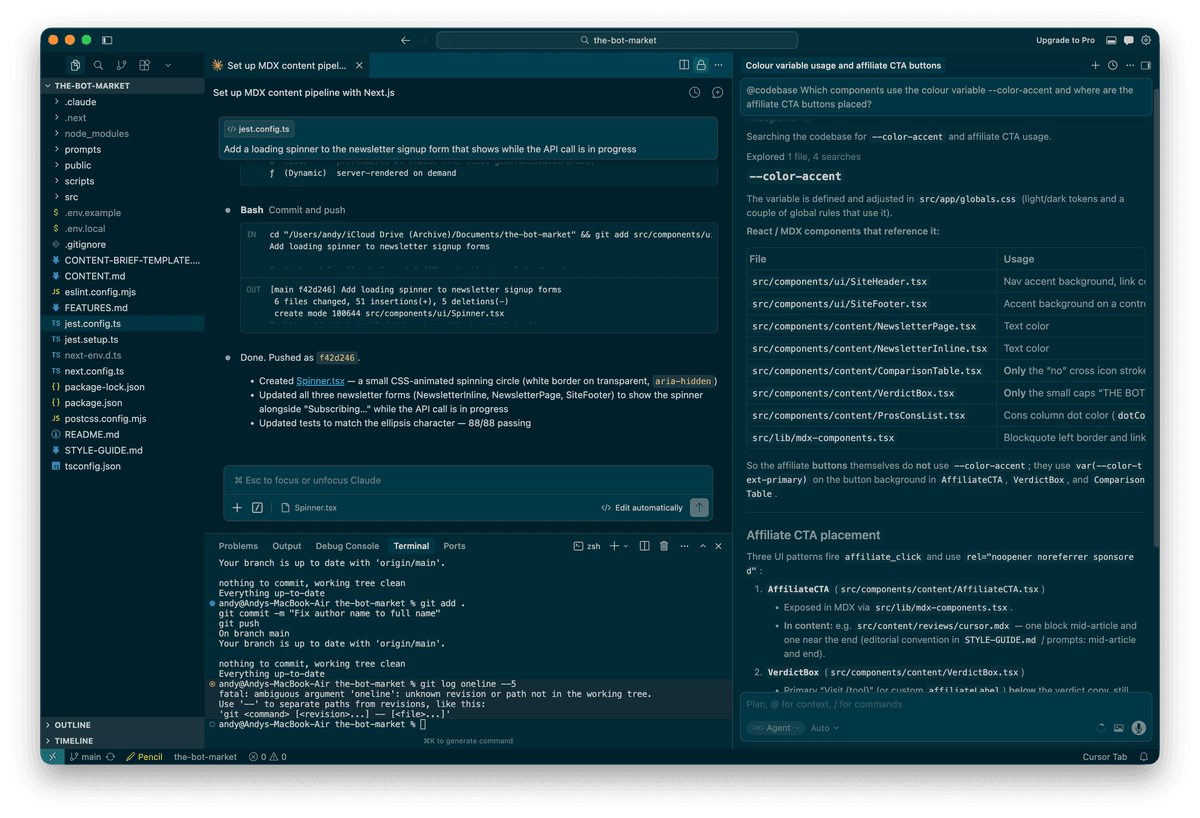
Composer mode is where the real productivity lives. Tab completions are fine. Chat is helpful. But Composer mode, where you describe what you want in plain English and Cursor edits multiple files simultaneously, is where the hours genuinely get saved. When I needed to add Google Analytics tracking to three separate components (VerdictBox, AffiliateCTA, and ComparisonTable), I described the requirement once and Cursor modified all three files correctly, including importing the tracking function and wiring up the event calls on the right button handlers.
One prompt. Three files. All correct. I'd have spent 20 minutes doing that manually, and probably would have forgotten one of the three. Cursor did it in about 15 seconds.
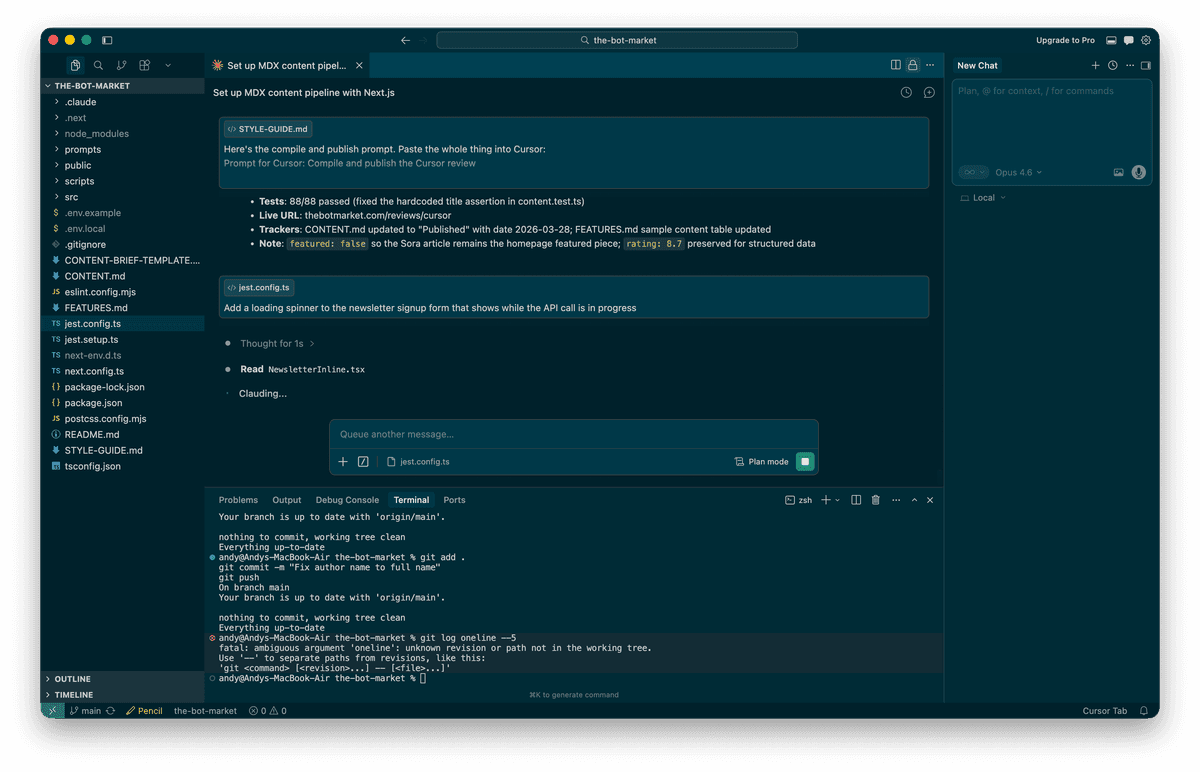
Multi-file editing is the capability that justifies the price. If you're only using Cursor for autocomplete, you're paying $20/month for something GitHub Copilot does for $10. The value is in the agent-level work: scaffolding features across files, refactoring patterns project-wide, and generating tests that actually understand what they're testing. That last one surprised me. The generated tests weren't just checking that components render. They were testing specific behaviours, correct href values, aria labels, state changes on click. Proper tests.
The VS Code foundation means zero switching cost. I imported my settings, extensions, and keybindings in about three minutes. Everything worked. This sounds trivial but it matters enormously for adoption. Windsurf asks you to learn a new editor. Claude Code asks you to work exclusively in a terminal. Cursor asks you to keep doing exactly what you were already doing, but with an AI pair programmer who never takes a lunch break and doesn't have opinions about tabs versus spaces. (It's tabs. Obviously.)
It did let me down though
The "use client" saga. Three times during the build, Cursor generated a Next.js component with event handlers (onClick, onSubmit, onMouseEnter) but forgot the "use client" directive at the top of the file. The first time was the SiteFooter. I thought, fair enough, edge case. The second time was the ArticleCard. Hmm. The third time was the homepage itself, at which point I was having a quiet word with myself about whether I should have just written it by hand.
Each time, the error message was identical. Each time, the fix was a single line at the top of the file. And each time, Cursor made the same mistake as if the previous two incidents had never happened.
This is the pattern that tempers my enthusiasm. Cursor is brilliant at understanding your codebase's architecture and generating code that fits. It's surprisingly poor at remembering framework-specific gotchas that it's already encountered in the same project. It's like working with a very talented contractor who keeps parking in the wrong car park despite being told three times. The work is excellent. The learning from mistakes is not.
A human developer who hit that error once would never make it again. Cursor will make it every single time. At least for now.
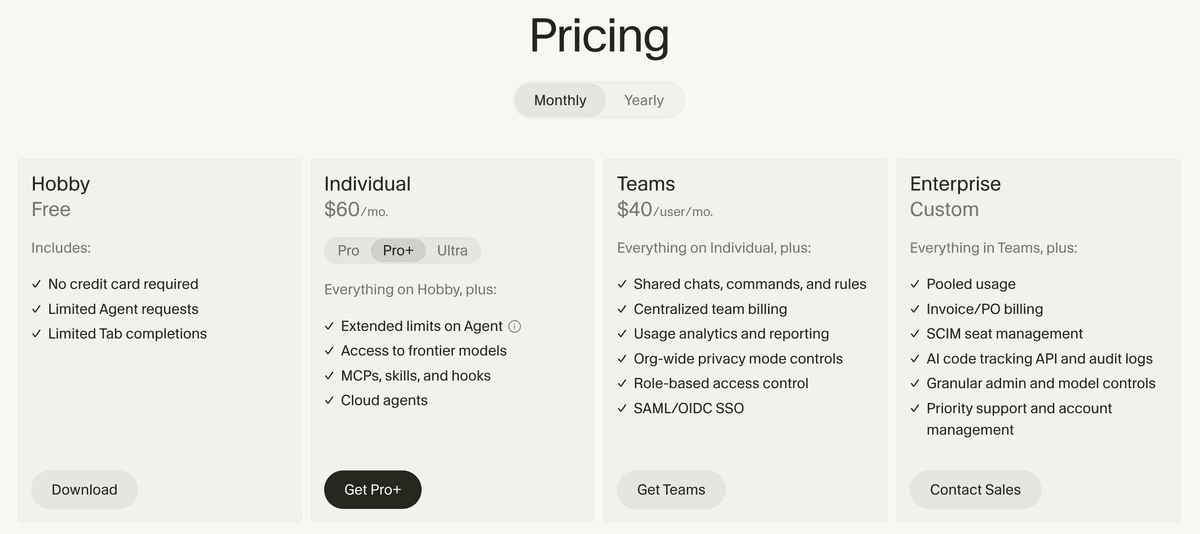
The pricing change left a bad taste. In June 2025, Cursor switched from 500 fixed premium requests per month to a credit-based system. The practical impact? Your $20/month now buys you roughly 225 equivalent requests instead of 500, depending on which model you use. The CEO apologised publicly, which was the right thing to do. A meaningful chunk of developers packed their bags for Windsurf. The Reddit community is, as Reddit communities tend to be, still absolutely furious about it.
Here's the thing though. In Auto mode, which selects the model automatically, usage is unlimited on Pro. This is the mode I used for 90% of my work and it performed admirably. The credits only matter when you manually select Claude Opus or GPT-5.4 for complex tasks. A heavy debugging session with a frontier model can burn through your monthly credits in a single afternoon, which does feel a bit like being charged extra for the fancy biscuits after you've already paid for the meeting room.
My actual spend over three months: $20/month flat. I stayed within the credit allocation by using Auto mode as my default and only switching to Claude Opus for genuinely complex architectural decisions. If you're disciplined about model selection, the pricing is fair. If you reach for frontier models like they're going out of fashion, budget $60/month for Pro+ or prepare for some uncomfortable surprises on the invoice.
Large file performance could be better. When the project grew past about 50 files, I noticed occasional lag during indexing. The initial scan when opening Cursor each morning would take 15-20 seconds, and the first few completions felt sluggish until the index caught up. Not the end of the world, but noticeable enough to mention. Developers working with monorepos or codebases north of 500k lines consistently report worse experiences, with some describing multi-second delays that would test the patience of a Benedictine monk.
Pros
- Codebase context awareness is genuinely unmatched among AI editors
- Composer mode for multi-file editing saves hours on complex refactoring tasks
- VS Code foundation means zero switching cost and full extension compatibility
- Auto mode provides unlimited AI access on Pro without burning credits
- Tab completions understand your project's naming conventions and patterns
Cons
- Forgets framework-specific patterns between sessions (the 'use client' problem)
- Credit-based pricing halved the effective request count from 500 to roughly 225
- Indexing lag noticeable on projects with 50+ files, worse on large monorepos
- No terminal-native mode for developers who prefer CLI workflows
Pricing
| Plan | Price | What you get |
|---|---|---|
| Hobby | Free | 2,000 completions, 50 slow premium requests, 2-week Pro trial |
| Pro | $20/month ($16 annual) | Unlimited completions, unlimited Auto mode, $20 credit pool for frontier models |
| Pro+ | $60/month ($48 annual) | Everything in Pro, $60 credit pool, faster requests |
| Ultra | $200/month | Everything in Pro+, $200 credit pool, priority access |
| Business | $40/user/month ($32 annual) | Pro features plus admin controls, centralised billing, team rules |
My recommendation: Start with Pro at $20/month. Stay in Auto mode for daily work. Use the credit pool for frontier models only when you're genuinely stuck on something complex. If you find yourself consistently running out of credits by mid-month, upgrade to Pro+. Most developers won't need to.
The annual plan at $16/month is worth it if you're committed. But fair warning: the AI tools landscape is changing at a pace that makes the British weather look predictable. I'd suggest paying monthly for the first three months to make sure Cursor fits your workflow before locking in.
Who should use Cursor and who shouldn't
Cursor is the right choice if: You work in a codebase with more than a handful of files and need AI that understands the whole project, not just the file you're staring at. You're already a VS Code user. You regularly refactor across multiple files. You want the IDE experience rather than a terminal.
Cursor is not the right choice if: You primarily need a cheap autocomplete tool. GitHub Copilot at $10/month does that for half the price and does it well. You prefer working in the terminal. Claude Code is built for that and does it better. You're on a tight budget and $20/month is a stretch. Windsurf at $15/month offers roughly 80% of the experience for 75% of the cost. You work on enormous monorepos where the indexing would drive you to drink.
The combination I'd actually recommend: Use Cursor as your daily editor. When you hit a complex problem that requires deep architectural thinking across dozens of files, open a terminal and let Claude Code handle that specific task. They complement each other beautifully. This is exactly how The Bot Market was built, and it's the workflow I'll continue using. It's like having two very talented employees: one who's brilliant at the desk and another who does their best work standing up. Use them both for what they're good at.
The bottom line
I came into this as a user, not a reviewer. Three months of building a real production site with Cursor has given me a clear picture: it's the best AI code editor available today, by a meaningful margin, for developers working on projects they actually care about.
The codebase context awareness isn't marketing fluff. It fundamentally changes how you work with AI. Composer mode isn't a toy. It saves real hours on real tasks. And the VS Code foundation isn't just convenient. It's a strategic moat that makes switching in easy and switching away surprisingly hard.
But Cursor isn't perfect. The pricing change was a misstep that cost them trust and a fair few customers. The framework memory gaps are genuinely frustrating. And the implicit promise of AI development, that the AI learns from its mistakes and gets better the longer you work together, isn't fully delivered yet. That parking analogy? I really wish I was joking.
At $20/month, Cursor is still the best investment a working developer can make in their productivity. I built an entire publication with it, from an empty folder to a deployed site with 82 tests, a content pipeline, and a live article about OpenAI killing Sora. I wouldn't build another project without it.
Just remember to add "use client" yourself. Trust me on this one.
The sharpest AI tools intel, weekly.
Join thousands of professionals navigating the AI tools landscape. Free, no spam, unsubscribe anytime.